How to Sign Up as a Master on ExamMasterAI Software: A Step-by-Step Free Guide
How to Sign Up as a Master on ExamMasterAI
ایگزام ماسٹر اے آئی پر بطور ماسٹر سائن اپ کرنے کا طریقہ
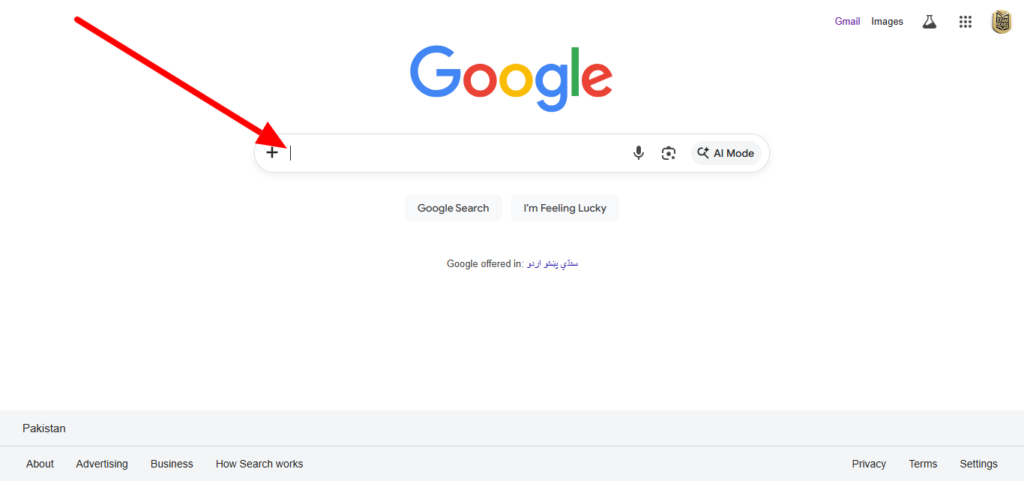
Step 1: Open Google Chrome Launch the Google Chrome browser on your computer or mobile device.
مرحلہ 1: گوگل کروم کھولیں اپنے کمپیوٹر یا موبائل پر گوگل کروم براؤزر کو اوپن کریں۔
Step 2: Search for the Website In the address bar, type exammasterai.com and press enter.
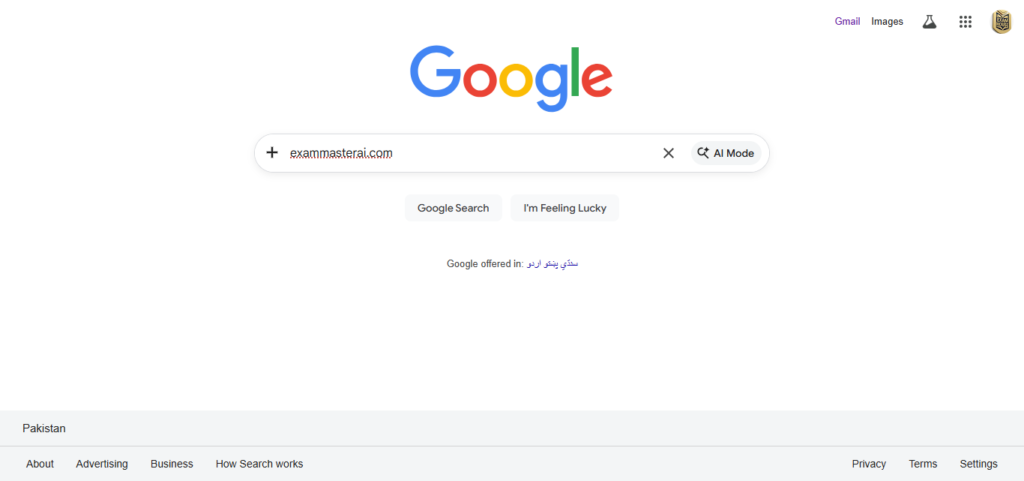
ExamMasterAI Master Signup, Free Paper Generator Guide, Register on exammasterai.comمرحلہ 2: ویب سائٹ تلاش کریں ایڈریس بار میں exammasterai.com لکھیں اور سرچ کریں۔
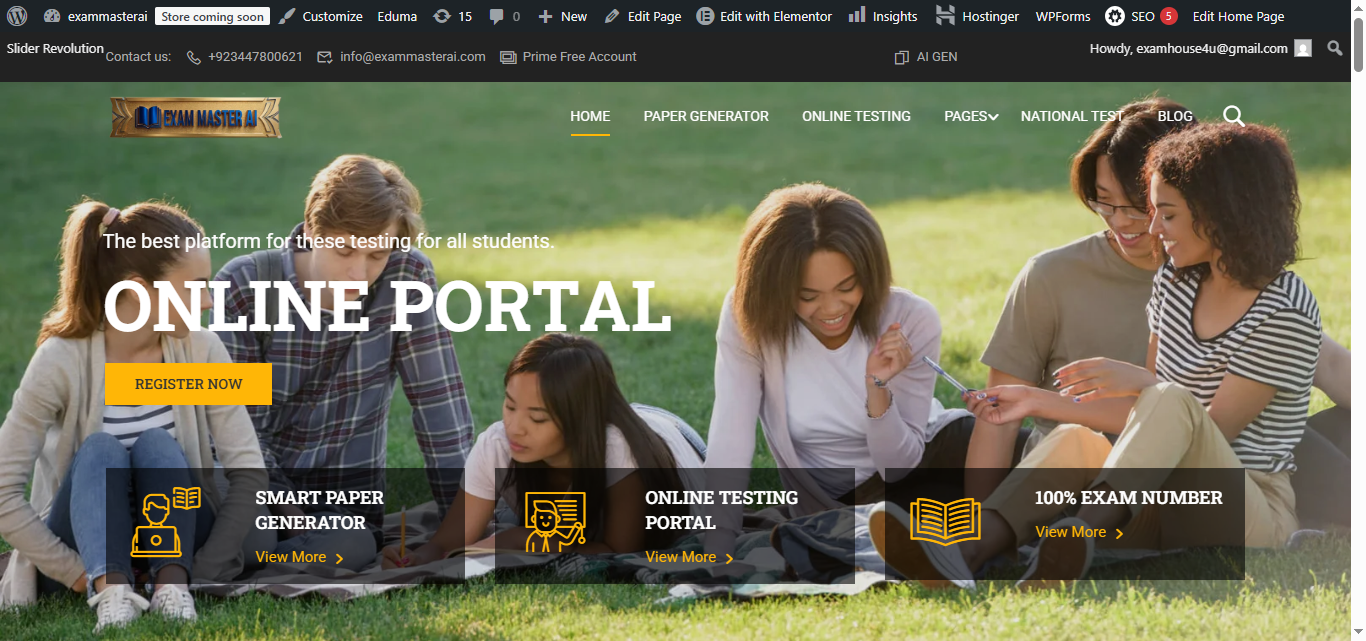
Step 3: Identify the Official Logo Look for our official logo, which features a premium Golden and Black color theme. This confirms you are on the correct site.
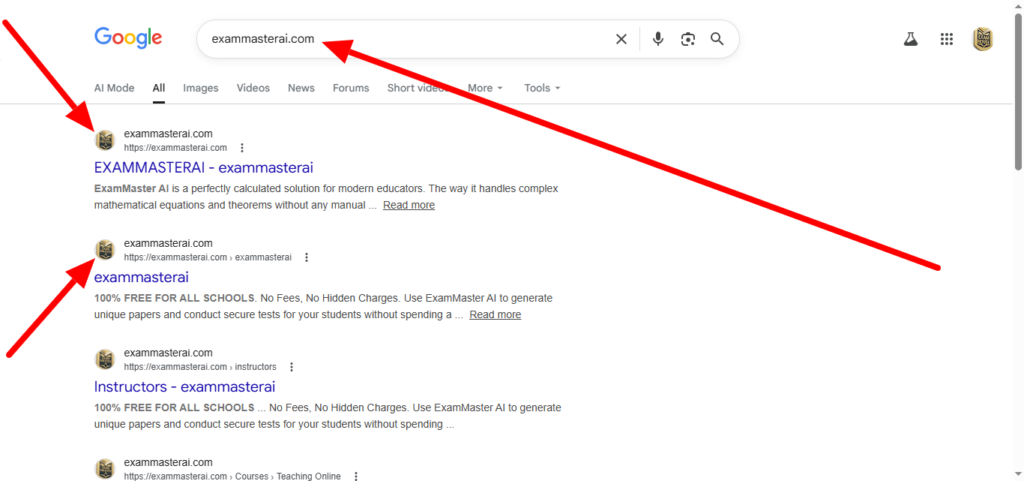
مرحلہ 3: آفیشل لوگو کی پہچان ہماری آفیشل ویب سائٹ کی پہچان اس کا گولڈن اور بلیک کلر کا لوگو ہے۔ اسے دیکھ کر اطمینان کر لیں کہ آپ صحیح سائٹ پر ہیں۔
Step 4: Navigate to the Register now Page Click on the “Sign Up” or “Register” button located at the top right corner of the homepage.
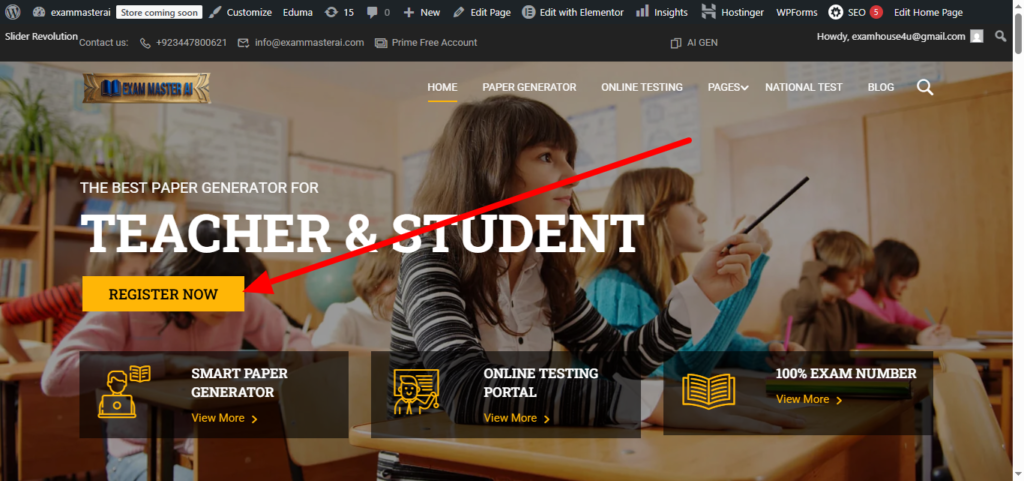
مرحلہ 4: سائن اپ پیج پر جائیں ہوم پیج کے اوپر دائیں کونے میں موجود “Sign Up” یا “Register” کے بٹن پر کلک کریں۔
Step 5: Choose the “Master” Role During registration, select the “Master” account type to access advanced features like the professional paper generator.
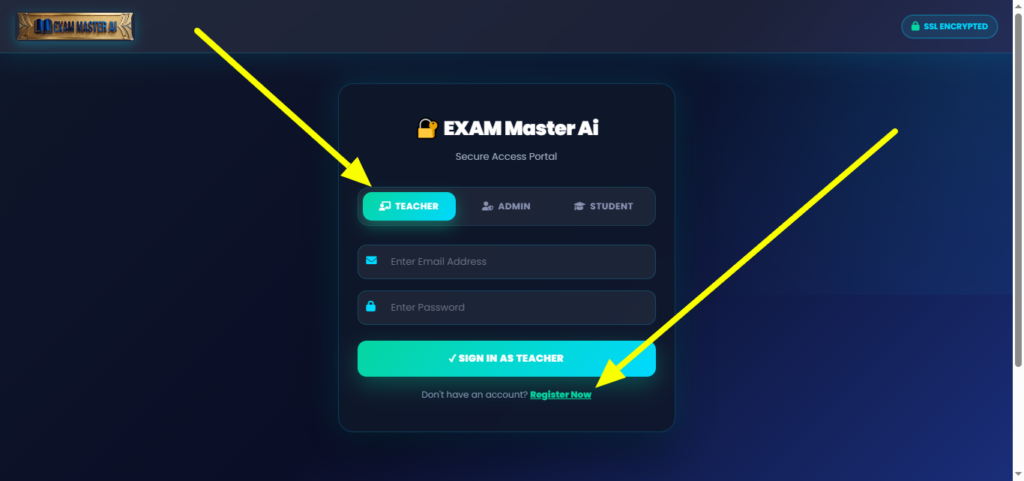
مرحلہ 5: “ماسٹر” رول کا انتخاب کریں رجسٹریشن کے دوران اکاؤنٹ کی قسم میں “Master” کو منتخب کریں تاکہ آپ پروفیشنل پیپر جنریٹر جیسے فیچرز استعمال کر سکیں۔
Step 6: Complete the Form for Free Fill in your name, email, and password. This process is 100% free for all teachers and academies.
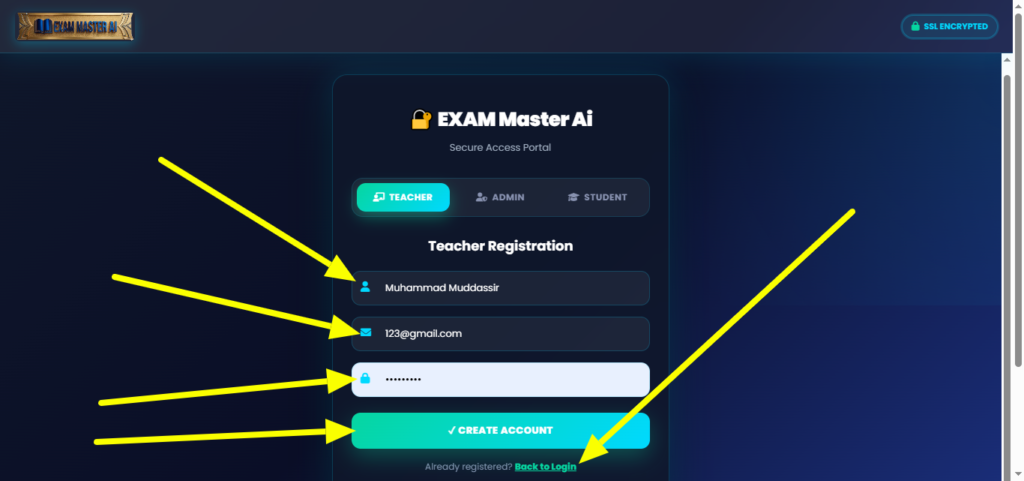
مرحلہ 6: فارم مکمل کریں اپنا نام، ای میل اور پاس ورڈ درج کریں۔ یہ تمام اساتذہ اور اکیڈمیوں کے لیے بالکل مفت ہے۔
The Ultimate Global Guide: How to Register as an International Student on ExamMasterAI
How to Score 100% Marks: The Ultimate Strategy for Easy Exam Preparation with ExamMasterAI